


A while ago I wrote about using the Spotify API with Next.js. Since February 2026, Spotify only lets developer apps work if the owner has Spotify Premium. I didn't want to pay just to show a song on my site, so I switched to Last.fm.
It's actually simpler: no OAuth, no refresh tokens. Just one API key and one request.
Connect Spotify to Last.fm
Last.fm records ("scrobbles") every song you play. Free Spotify accounts can connect to it.
- Create a free account on Last.fm.
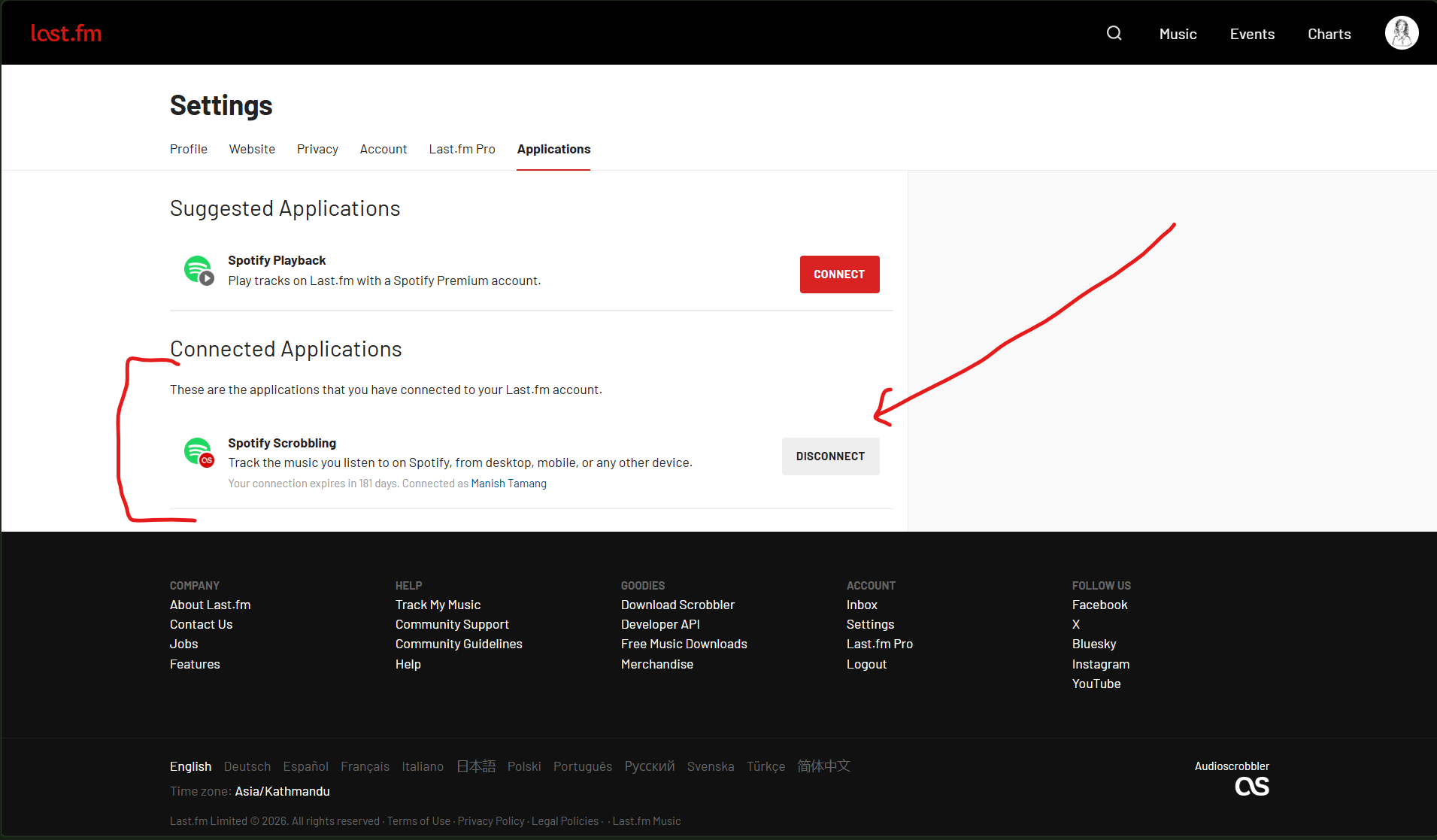
- Go to Settings → Applications and click Connect next to Spotify.
- Play a song and open your Last.fm profile. You should see it under "Scrobbling now".
Get an API Key
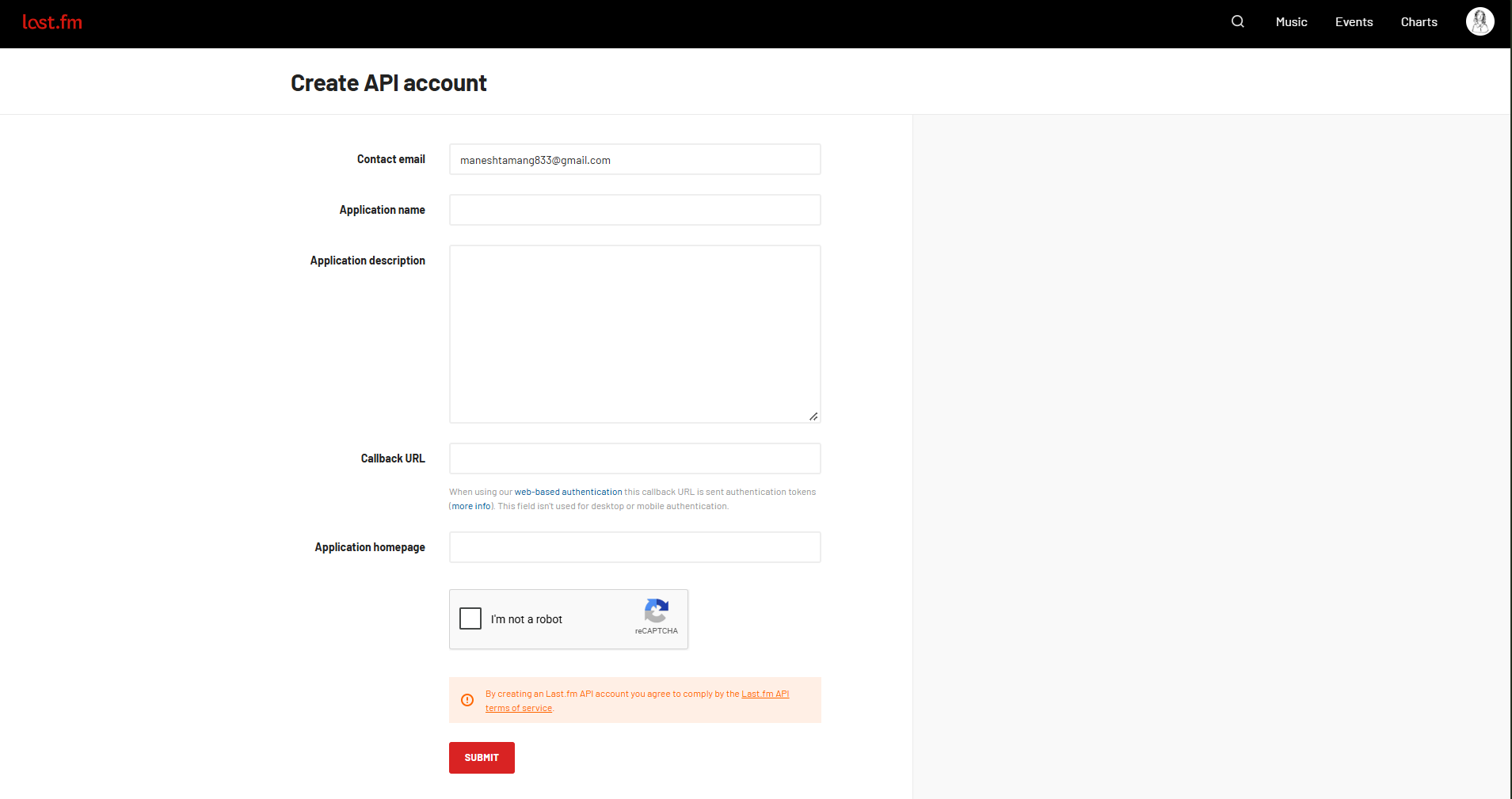
- Go to Create API account.
- Give it any name. You can leave the callback URL empty.
- Copy the API key. You don't need the shared secret.
Add it to your .env.local with your Last.fm username.
LASTFM_API_KEY=your_api_key
LASTFM_USERNAME=your_username
Fetch the Current Song
Create lib/lastfm.ts. We ask Last.fm for your latest track. If it's playing right now, it has @attr.nowplaying set to "true".
const API_KEY = process.env.LASTFM_API_KEY
const USERNAME = process.env.LASTFM_USERNAME

export async function getNowPlaying() {
  const url = `https://ws.audioscrobbler.com/2.0/?method=user.getrecenttracks&user=${USERNAME}&api_key=${API_KEY}&format=json&limit=1`
  const res = await fetch(url, { cache: "no-store" })
  const data = await res.json()
  const track = data.recenttracks?.track?.[0]

  if (!track) return { isPlaying: false }

  return {
    isPlaying: track["@attr"]?.nowplaying === "true",
    title: track.name,
    artist: track.artist["#text"],
    album: track.album["#text"],
    albumImageUrl: track.image.at(-1)?.["#text"],
    songUrl: track.url,
  }
}
Creating an API Route
Create app/api/now-playing/route.ts. The cache header means Vercel only asks Last.fm once every 30 seconds, no matter how many people visit.
import { getNowPlaying } from "@/lib/lastfm"

export async function GET() {
  const song = await getNowPlaying()

  return Response.json(song, {
    headers: { "cache-control": "public, s-maxage=30, stale-while-revalidate=30" },
  })
}
Run next dev, play a song, and open localhost:3000/api/now-playing. You can also see mine live at manishtamang.com/api/now-playing.
{
  "isPlaying": true,
  "title": "Rangharu (feat. Aastha Tamang Maskey)",
  "artist": "Topi",
  "album": "Mitho Bihani",
  "albumImageUrl": "https://lastfm-img.freetls.fastly.net/i/u/300x300/5bf8ee5ad5ea43d2c3e32f1e2f9a6030.jpg",
  "songUrl": "https://www.last.fm/music/Topi/_/Rangharu+(feat.+Aastha+Tamang+Maskey)"
}
Show It on Your Site
A small client component that checks for a new song every 30 seconds.
"use client"

import { useEffect, useState } from "react"

type Song = {
  isPlaying: boolean
  title?: string
  artist?: string
  albumImageUrl?: string
  songUrl?: string
}

export function NowPlaying() {
  const [song, setSong] = useState<Song | null>(null)

  useEffect(() => {
    const load = () => fetch("/api/now-playing").then((res) => res.json()).then(setSong)
    load()
    const timer = setInterval(load, 30_000)
    return () => clearInterval(timer)
  }, [])

  if (!song?.title) return null

  return (
    <a href={song.songUrl} target="_blank" rel="noopener noreferrer" className="flex items-center gap-3">
      {song.albumImageUrl && (
        <img src={song.albumImageUrl} alt={song.title} width={48} height={48} className="rounded" />
      )}
      <div>
        <p className="text-xs text-green-600">{song.isPlaying ? "Now Playing" : "Last Played"}</p>
        <p className="font-medium">{song.title}</p>
        <p className="text-sm text-zinc-500">{song.artist}</p>
      </div>
    </a>
  )
}
Bonus: Missing Album Covers
Last.fm doesn't have covers for many smaller releases and returns a grey star instead. Apple's iTunes search is free, needs no key, and usually has them.
async function getCover(title: string, artist: string) {
  const term = encodeURIComponent(`${artist} ${title}`)
  const res = await fetch(`https://itunes.apple.com/search?term=${term}&entity=song&limit=1`)
  const { results } = await res.json()
  return results[0]?.artworkUrl100?.replace("100x100bb", "600x600bb")
}
Use it when Last.fm's image URL contains 2a96cbd8b46e442fc41c2b86b821562f (that's the grey star placeholder).
That's it. No Premium, no tokens, and it works for whatever you play on your phone too.
Happy Coding ❤️