Todo List
A beautiful, interactive todo list application with a charming pink dinosaur theme. Built with vanilla HTML, CSS, and JavaScript, this project features a delightful user interface and smooth functionality for managing your daily tasks.
Built 2 min readLive Demo (opens in a new tab)Code (opens in a new tab)
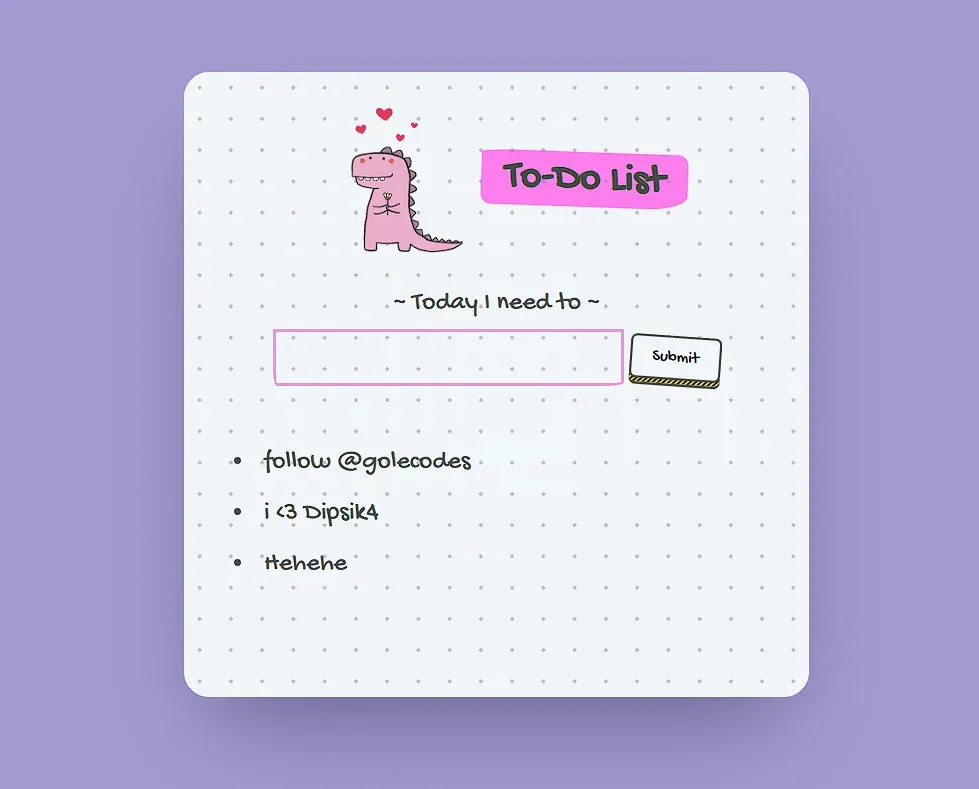
A beautiful, interactive todo list application with a charming pink dinosaur theme. Built with vanilla HTML, CSS, and JavaScript, this project features a delightful user interface and smooth functionality for managing your daily tasks.
✨ Features
- 🎨 Beautiful UI: Charming pink dinosaur theme with hand-drawn aesthetic
- 📝 Add Tasks: Simple form to add new todo items
- 🗑️ Delete Tasks: Click on any task to remove it
- 💾 Persistent Storage: Tasks are saved in browser’s localStorage
- 📱 Responsive Design: Works perfectly on desktop and mobile devices
- 🎯 Clean Interface: Minimalist design with playful elements
🚀 Live Demo
You can view the live demo of this project by opening index.html in your web browser.
🛠️ Technologies Used
- HTML5: Semantic structure and form elements
- CSS3: Modern styling with custom fonts and animations
- JavaScript (ES6+): Interactive functionality and localStorage management
- Google Fonts: Gochi Hand font for the hand-drawn aesthetic
📁 Project Structure
TODO/
├── index.html
├── style.css
├── script.js
├── pink_dino (2).png
├── images/
│   └── projectscreenshot.png
└── README.md
🎯 How to Use
- Adding Tasks: Type your task in the input field and click “Submit”
- Completing Tasks: Click on any task in the list to remove it
- Persistence: Your tasks are automatically saved and will persist between browser sessions
🎨 Design Features
- Color Scheme: Soft purple background with pink accents
- Typography: Gochi Hand font for a playful, handwritten look
- Animations: Smooth hover effects and button interactions
- Layout: Centered card design with subtle grid pattern background
- Icon: Adorable pink dinosaur mascot with floating hearts
🔧 Setup Instructions
-
Clone the repository:
git clone https://github.com/Manish-Tamang/Todo-List.git cd Todo-List -
Open in browser:
- Simply double-click on
index.htmlto open in your default browser - Or drag and drop the file into any web browser
- Simply double-click on
-
Start using:
- Begin adding your tasks immediately
- No additional setup required!
💡 Key Features Explained
Local Storage
The app uses browser localStorage to persist your todo items, so they won’t disappear when you refresh the page or close the browser.
Responsive Design
The interface adapts beautifully to different screen sizes, from mobile phones to desktop computers.
Interactive Elements
- Hover effects on todo items
- Smooth button animations
- Visual feedback for user interactions
- html
- css
- todo-list
- cute